
Accessible AI-Powered Learning.
Research
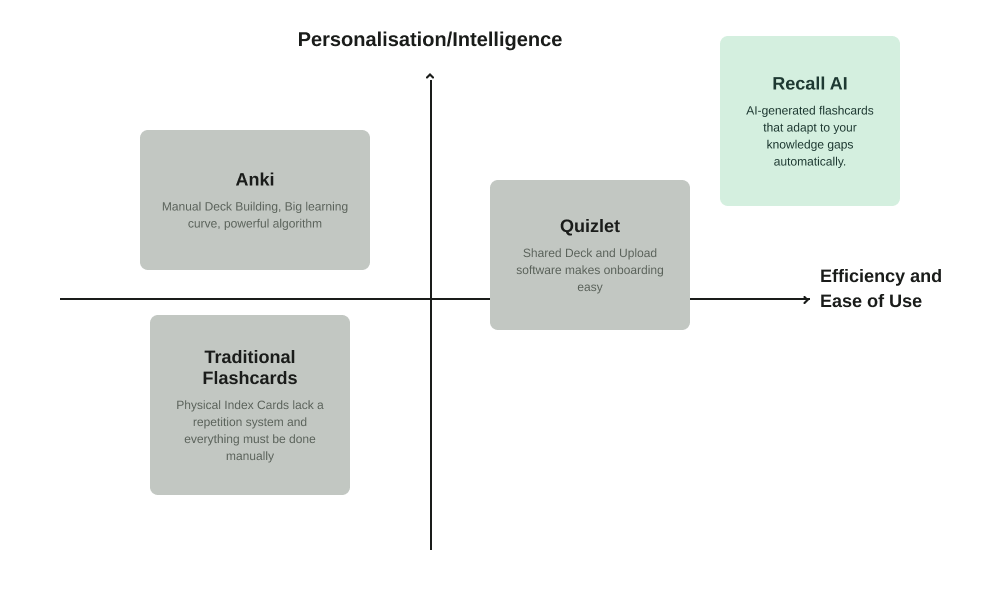
Before building Recall AI, we wanted to understand why so many learners struggle to stick with flashcard-based study methods, despite knowing they work. What we found was a consistent trade-off with every existing option: tools were either powerful but demanding, requiring significant manual effort to build and maintain effective decks, or simple but generic, offering ease of use, at the cost of any real personalization. There was a clear gap: existing tools force users to choose between control and convenience.
This left an open quadrant in the market: a tool that is both effortless to use and genuinely personalized. We designed Recall AI to occupy that space directly. Rather than requiring users to manage decks manually or settle for generic content, Recall AI generates flashcards that automatically adapt to each user's specific knowledge gaps.
Anki
Anki offers a genuinely powerful spaced repetition algorithm, but that power comes at a cost: building decks is entirely manual, and the learning curve is steep. That upfront time investment is often enough to make people abandon the habit before it forms.
Traditional Flashcards
Physical index cards are simple and familiar, but limited room for adaptivity. Every card must be manually created and gets reviewed on the same schedule. Any follow-up sorting system is manual.
Quizlet
Quizlet makes it easy to find pre-made public decks or create your own. This is convenient but also a limitation. Decks are either generic, built for someone else's course or there is much upfront effort needed on your end. Any advanced features are hidden behind a paywall which is not optimal for students.
Recall AI
Recall AI is built to remove the two biggest barriers to effective studying: the time it takes to create flashcards, and the lack of personalization in how they're reviewed. It generates flashcards automatically from any material you already have, then uses adaptive spaced repetition to resurface each card right when you're likely to need it. Review time is always spent where it actually matters. The result is a tool that combines the convenience competitors are missing with the intelligence they lack.
Design Decisions
Visual System
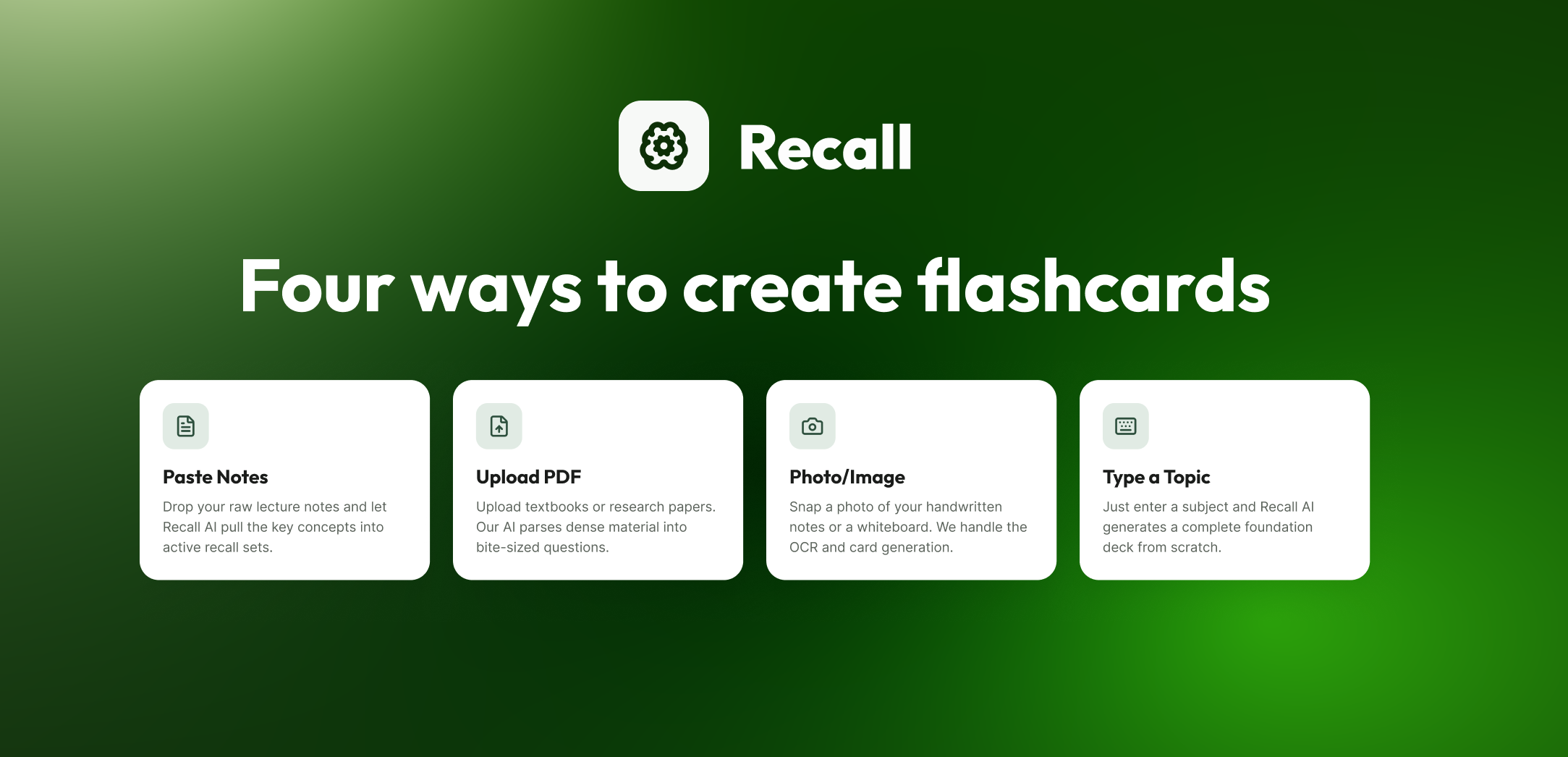
Green has consistently been shown to activate the parasympathetic nervous system, lowering stress hormones and supporting the kind of relaxed, alpha-wave-associated focus needed for spacial memory. This research directly shaped our decision to build the interface around a deep forest-green foundation rather than a more energetic or multi-color system.
Edge Cases
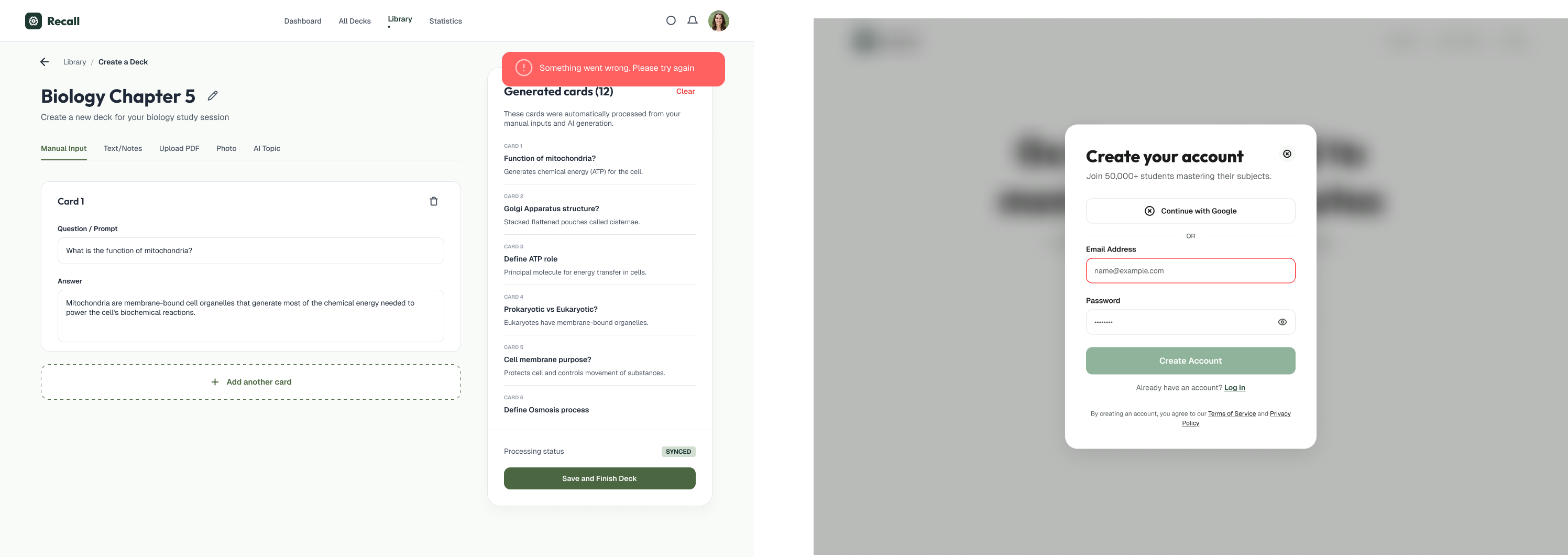
Designing for an AI-driven product meant planning for situations beyond the ideal, expected flow. Our team identified and designed for edge cases such as a user submitting material too short or unclear to generate flashcards from, or the AI failing to confidently produce a card.
Adaptability
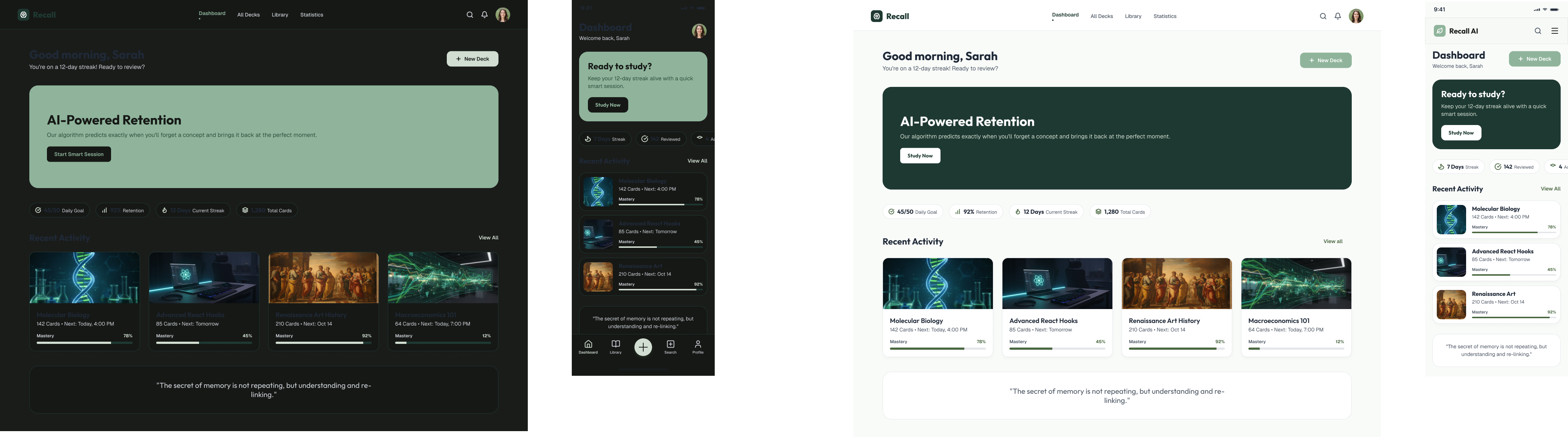
Due to the function of the application, the system was intentionally scaled for both web and mobile, allowing the visual language, components, and interaction patterns to remain consistent across devices. This design flexibility aimed to support the product’s core purpose: helping students learn effectively wherever they are. For example, to enhance adaptability, the team explored designing systems for both light and dark mode, ensuring the AI‑powered experience felt visually attuned to different learning environments.
Loading Screens
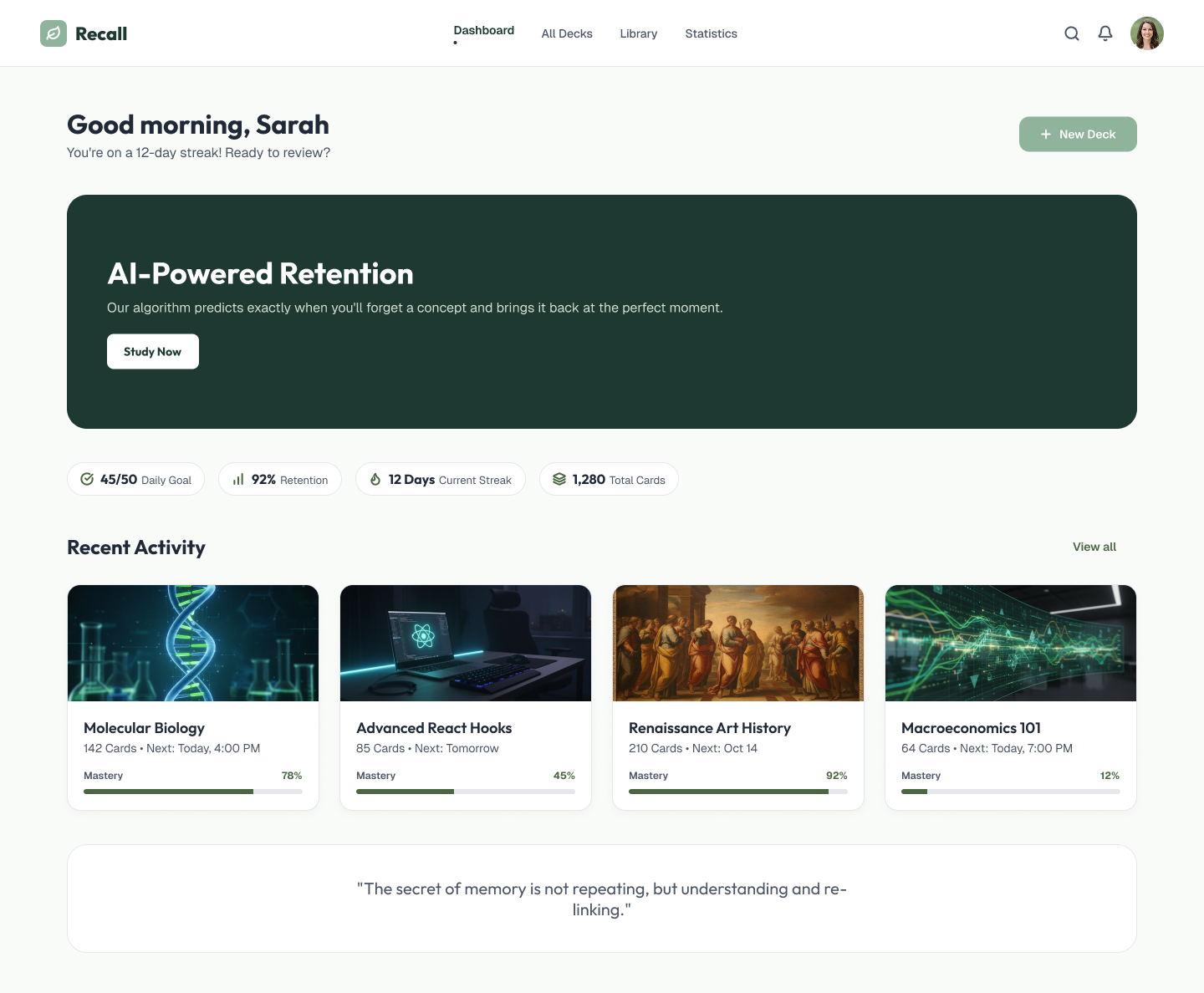
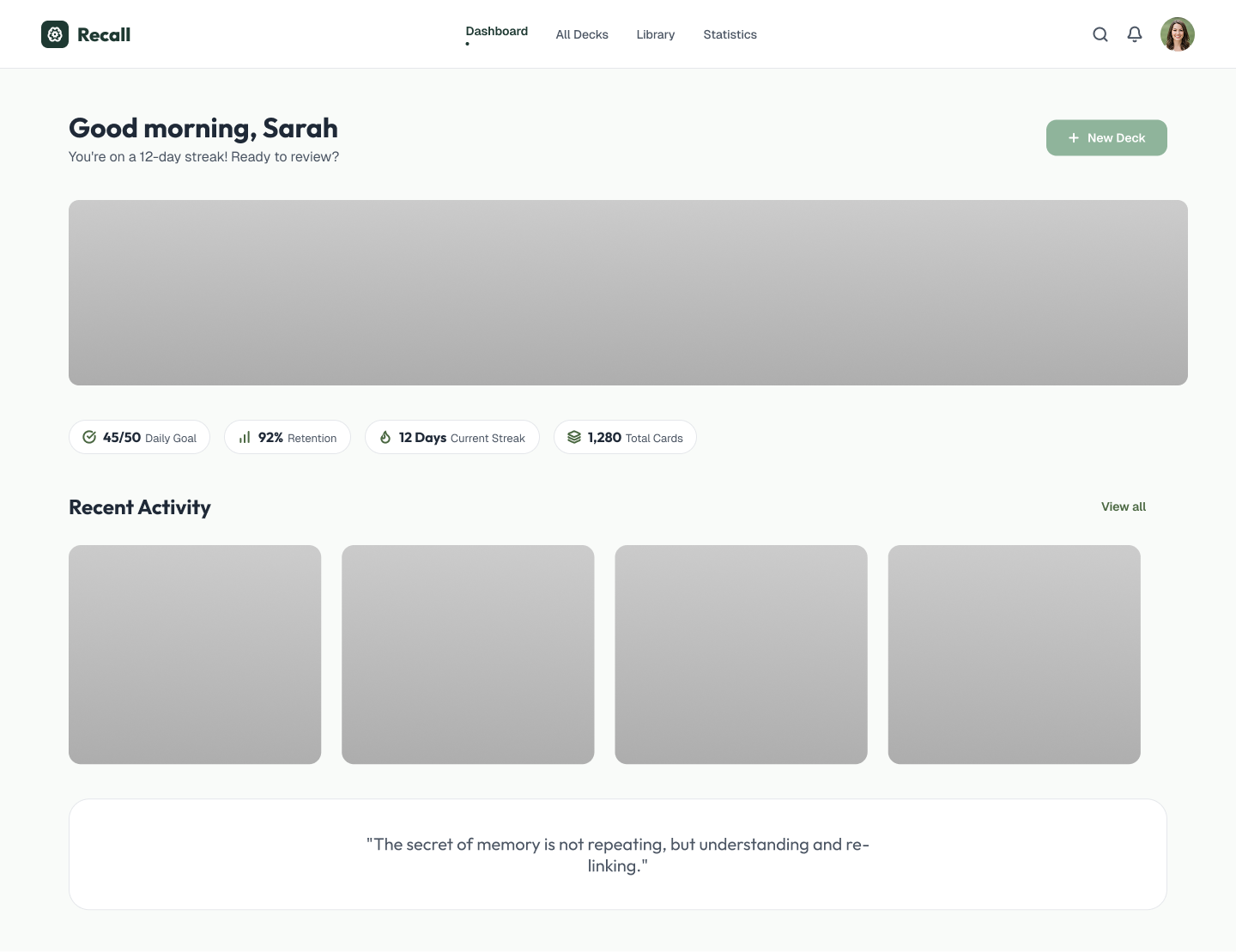
Because Recall AI relies on AI processing to generate flashcards, there was often a gap between a user submitting their material and actually seeing results. To account for that, our team designed skeleton loading states rather than a blank screen or a generic spinner, giving users a preview of the layout their content would populate into. This kept the experience feeling responsive and intentional even during processing time, and reinforced trust that the system was working rather than stalled.
Other Design Considerations
Interactions
- Smooth, reveal-based transitions between question and answer states mirror natural recall testing vs jarring pop-ups or modals.
- Gentle, affirming feedback, visible streaks, session-complete celebrations replaces urgent or punitive messaging, reframing spaced repetition as a rewarding habit rather than a compliance task.
- The AI's decision-making is made visible in-flow (e.g., "Spacing your next review in 4 days"), making the AI component more personable and relevent
Accessibility and performance
- Full keyboard navigation for power users, including single-key shortcuts (Space to reveal, 1/2/3 to rate recall) that let frequent users move through decks quickly on desktop.
- High color contrast between white card surfaces and dark-green primary actions across all UI elements, supporting WCAG AA legibility standards.
- Consistent semantic hierarchy and layout parity between desktop and mobile, supporting predictable navigation for screen reader users across devices.
- During early design iterations, introducing additional accent colors (for tags, categories, or deck types) started to compete with the app's focus-driven purpose, so we made the decision to simplify leaning almost entirely on green and white while pulling back on competing visual elements. This kept the interface calm and legible, reinforcing the cognitive rationale behind the color strategy. We see this restrained direction as an early iteration rather than a final answer; there's room to test how much further color, contrast, and accent usage can be pushed in future rounds without compromising the calming effect the product is built around.
Reflections
Designer Hand-off
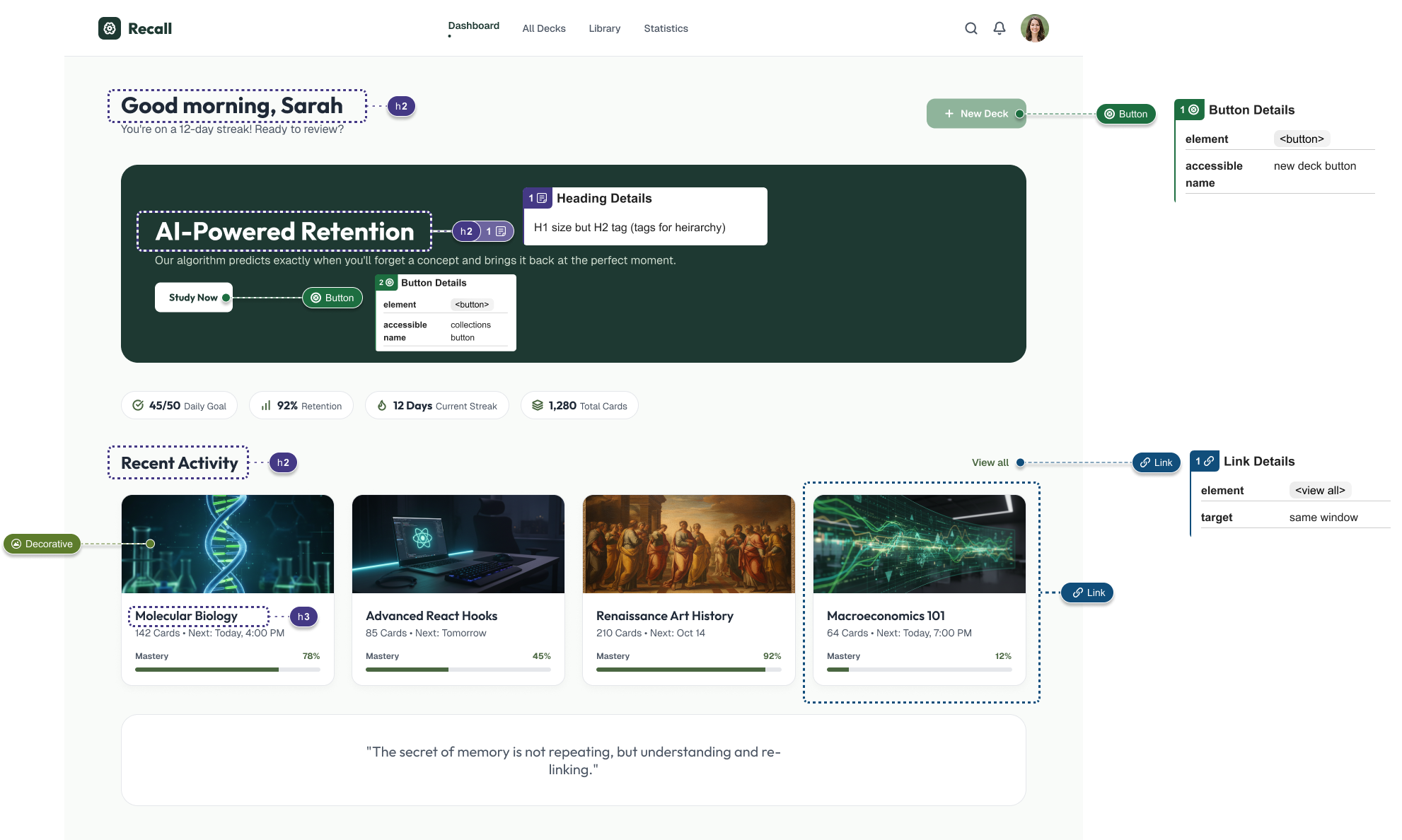
Finally, this was the project where I really learned the technical side of design handoff. Beyond just delivering clean screens, I had to think about how my design decisions would actually translate into a working AI-integrated product. Designing and annotating states and being clear enough for developers to build from, gave me a much deeper appreciation for how much handoff quality affects the transition into a real product.
Use of AI
Using AI while working on Recall AI taught me to reconsider my use of AI critically, both in my process and in the product itself. I had to be intentional about where AI genuinely strengthened my work versus where it risked flattening my own judgment. That same critical lens shaped how I designed for an AI-driven product, which behaves less predictably than a rules-based app. Because the system doesn't always respond the same way twice, I learnt to design for variability.
